New tool overview in twinio
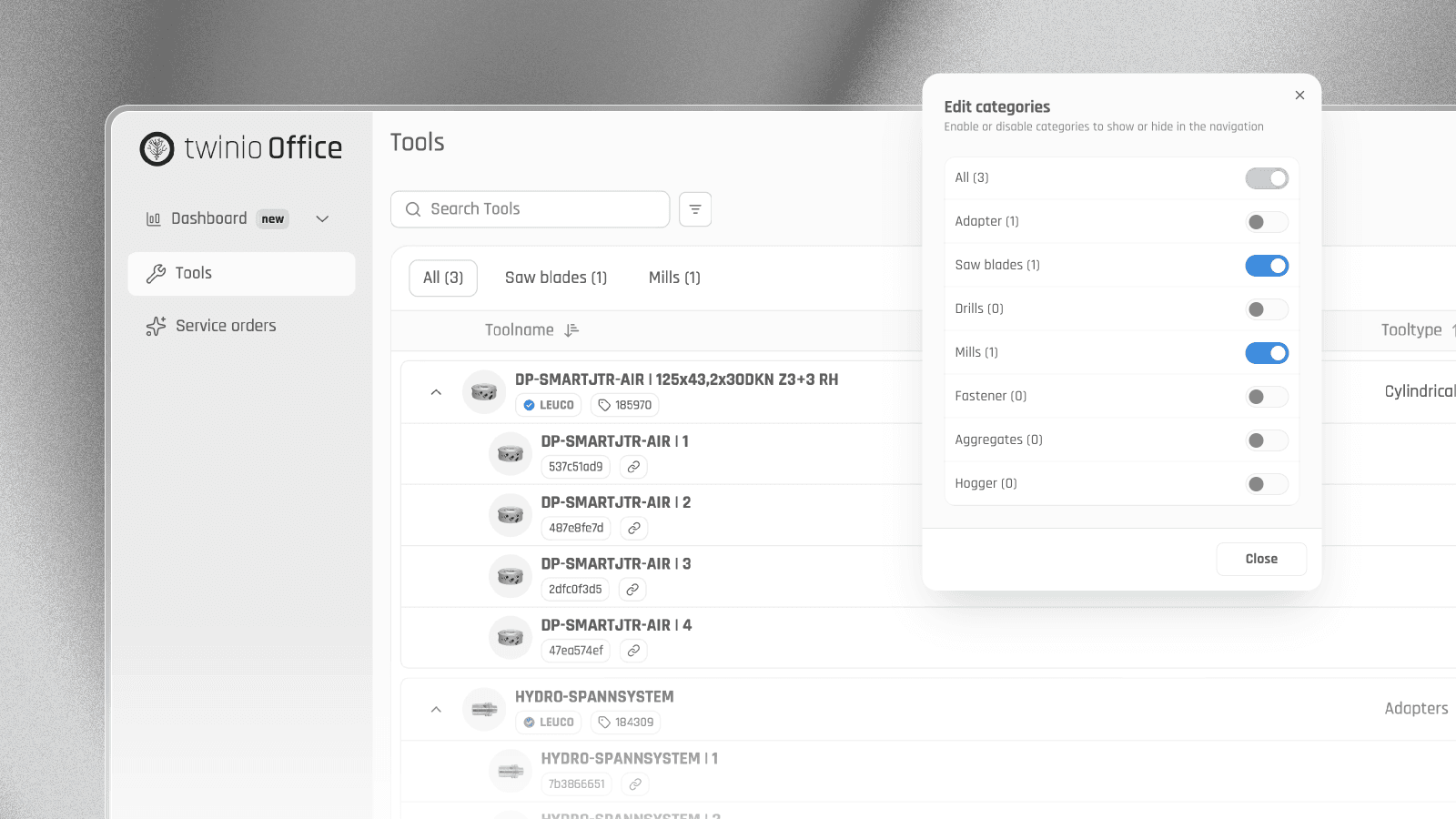
With the redesign of twinio, the tool overview has also been revised. Due to the growing number of tool types, the previous tree structure had over time become a deeply nested folder structure, which sometimes required long navigation paths.
Therefore, the tree structure has been replaced by tabs for the different tool types. This allows catalog items and the corresponding individual tools to be reached more quickly.
The tabs can be shown and hidden individually. This means that only the tool types that are actually required can be displayed directly in the overview.
What remains: Search and filters continue to function as usual and display only individual tools as search results. The hierarchy between catalog items and individual tools also remains.