News from twinio

News from twinio

News from twinio

Sharpening seamlessly integrated

Discover how easy sharpening can be, with twinio.

No My tapio company account yet?

No My tapio company account yet?

No My tapio company account yet?

At a glance

At a glance

At a glance

Sharpening at a glance

Sharpening digitally organized: Create orders in twinio, track progress, and receive sharpened tools with current measurement and performance data.

Sharpening digitally organized: Create orders in twinio, track progress, and receive sharpened tools with current measurement and performance data.

Create sharpening order in twinio

Select the blunt tools that you want to send to your sharpening service.

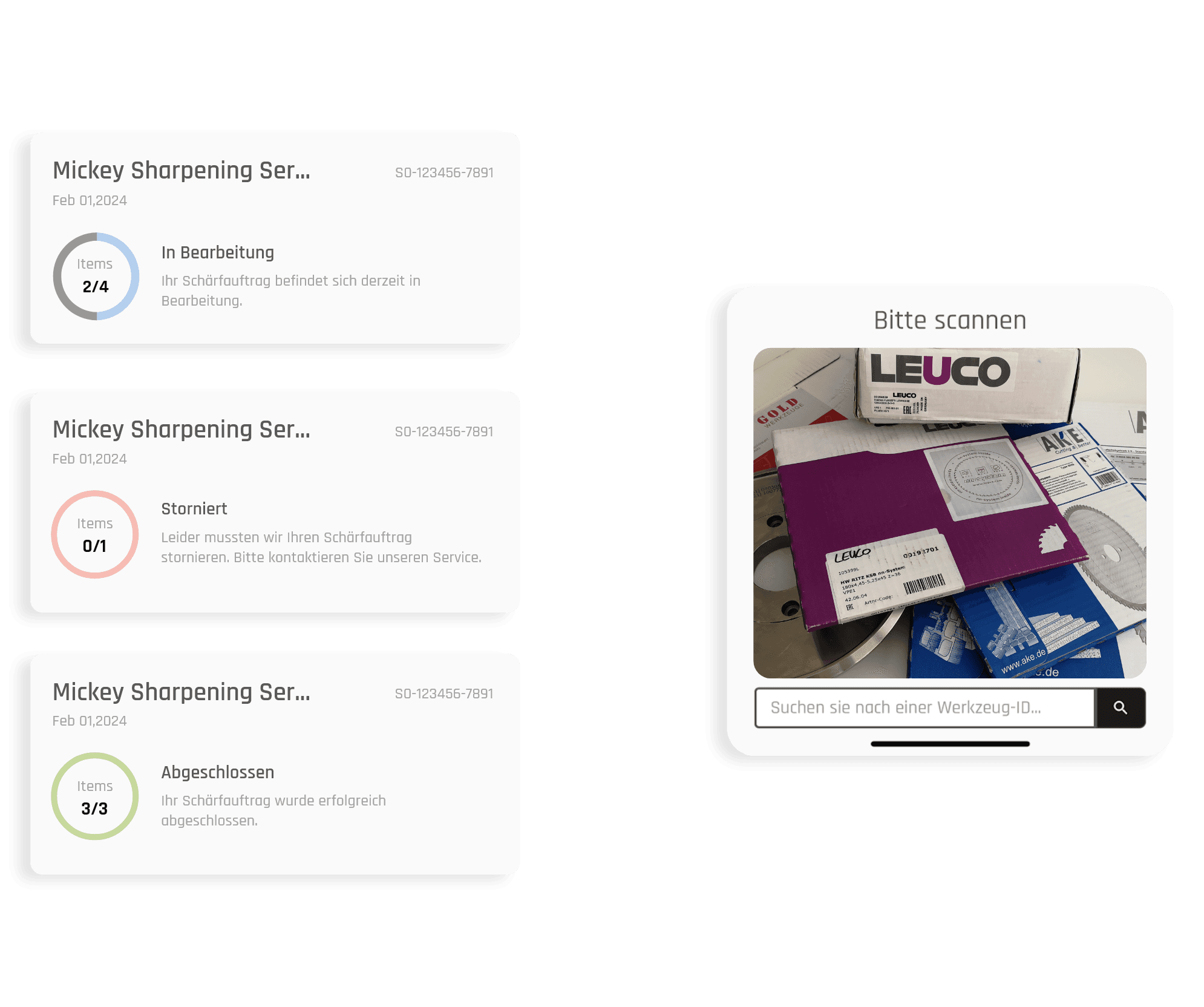
Track sharpening order digitally

You can track the status of your sharpening order in twinio. This means you always have full transparency of the statuses "New", "In progress" and "Completed".

Track sharpening order digitally

You can track the status of your sharpening order in twinio. This means you always have full transparency of the statuses "New", "In progress" and "Completed".

Tool performance

View and analyze tool performance using historical data.

Tool performance

View and analyze tool performance using historical data.

New measurement data updated directly

As soon as you get your tool back, the new measurement data is immediately available. This completely eliminates the need for manual updating.
New measurement data updated directly

As soon as you get your tool back, the new measurement data is immediately available. This completely eliminates the need for manual updating.

Create Sharpening Order

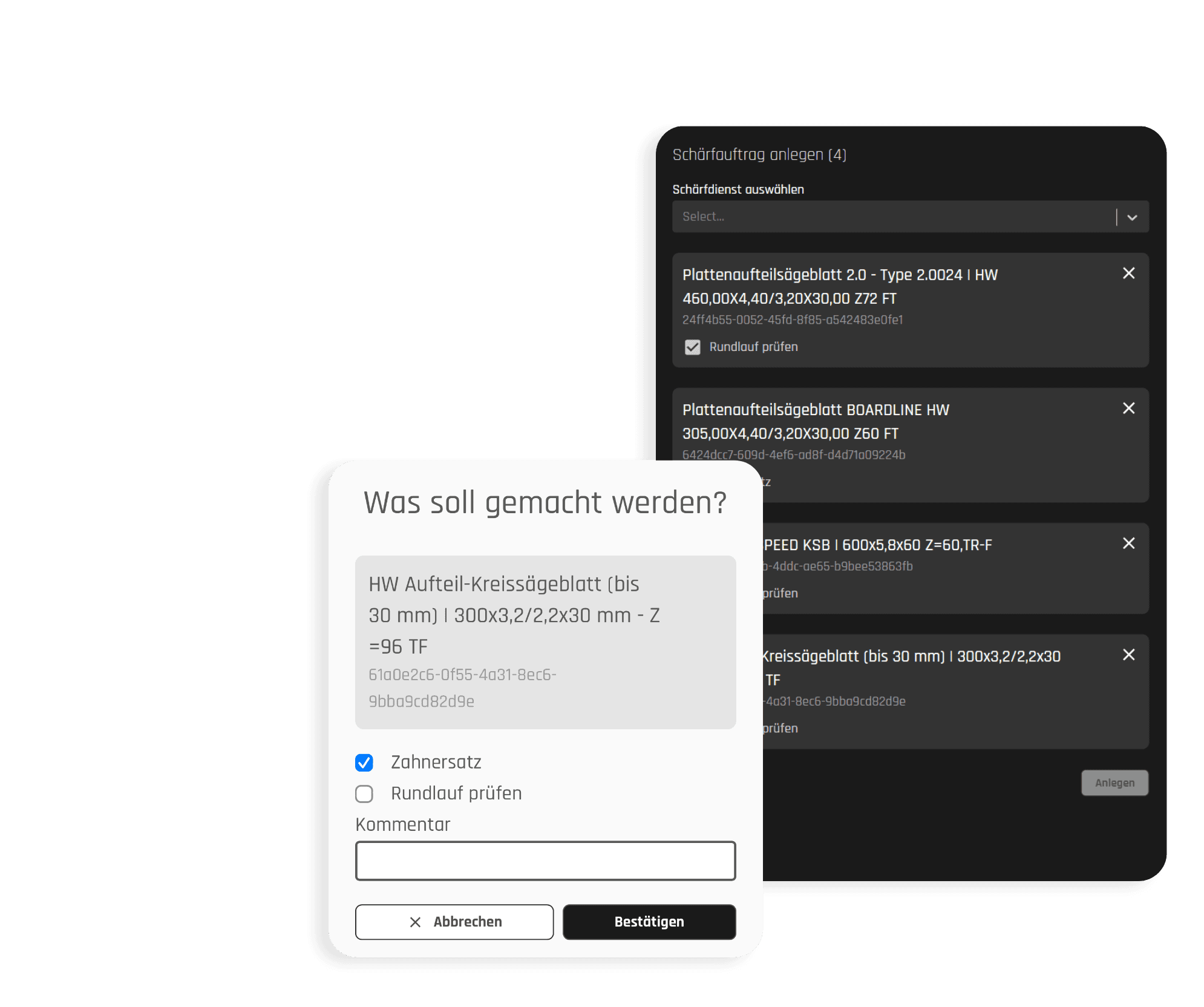
Create sharpening order easily and conveniently

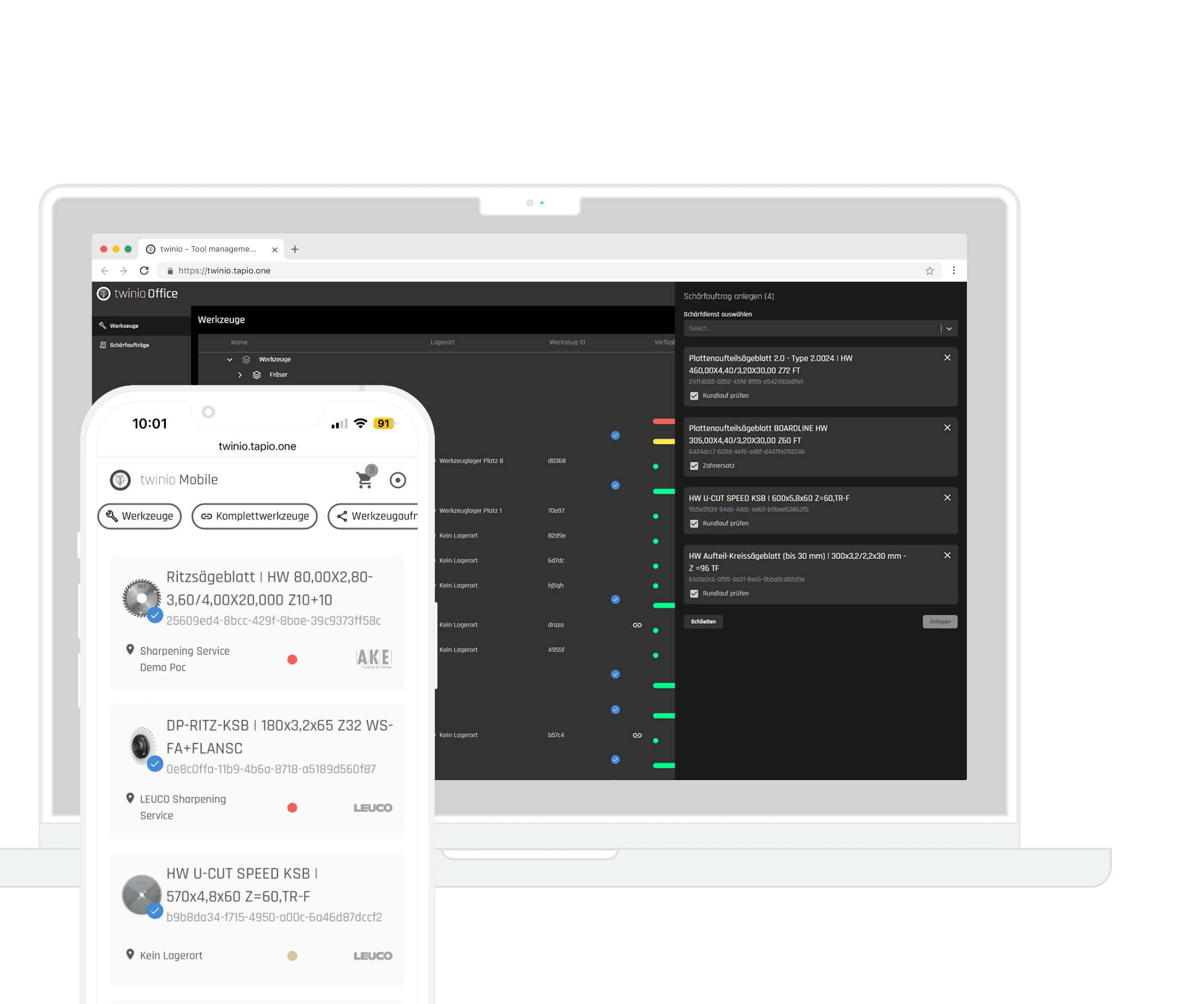
Work directly in twinio with integrated sharpening services. With just a few clicks, you select the blunt tool and your sharpening service, create a sharpening order. Simply pack everything into a box for the sharpening service. Quick, easy and all in one place.

twinio Office and twinio Mobile open in the browser on a smartphone and a laptop
Creating a sharpening order in twinio Mobile and twinio Office

Create Sharpening Order

Create sharpening order easily and conveniently

Work directly in twinio with integrated sharpening services. With just a few clicks, you select the blunt tool and your sharpening service, create a sharpening order. Simply pack everything into a box for the sharpening service. Quick, easy and all in one place.

twinio Office and twinio Mobile open in the browser on a smartphone and a laptop
Creating a sharpening order in twinio Mobile and twinio Office

Create Sharpening Order

Create sharpening order easily and conveniently

Work directly in twinio with integrated sharpening services. With just a few clicks, you select the blunt tool and your sharpening service, create a sharpening order. Simply pack everything into a box for the sharpening service. Quick, easy and all in one place.

twinio Office and twinio Mobile open in the browser on a smartphone and a laptop
Creating a sharpening order in twinio Mobile and twinio Office

progress data

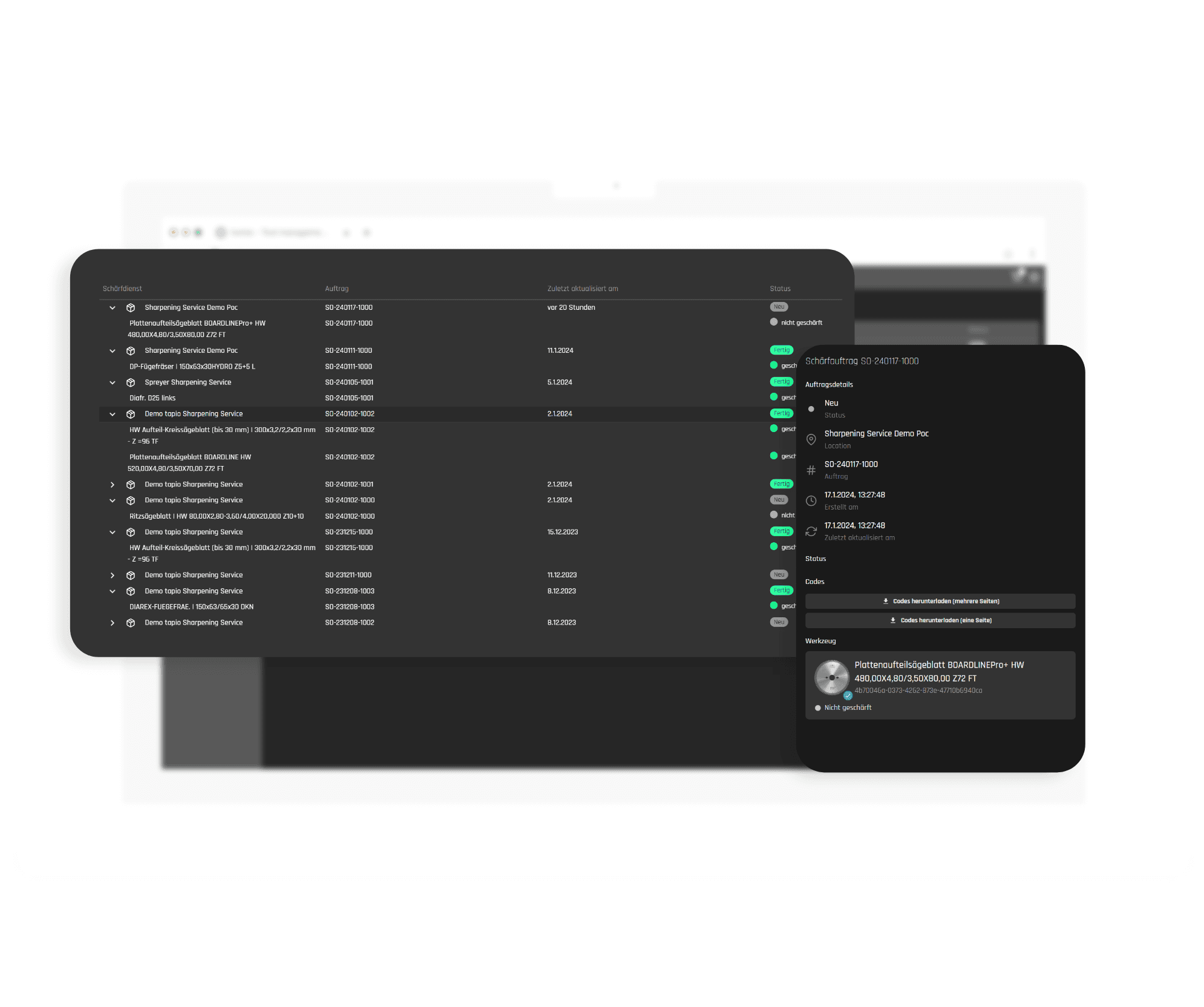
Full transparency inside and outside of your workshop

Is the tool status "Not available" not informative enough for you? With the "Digital sharpening" add-on package, you can always keep an eye on the current progress of your sharpening order. Track which tools have already been processed by your sharpening service and keep track of all your tools - regardless of whether they are available or not.

Overview of sharpening orders, opened in twinio Office on a laptop
Overview of all sharpening orders and detailed view of a sharpening order as a collage

progress data

Full transparency inside and outside of your workshop

Is the tool status "Not available" not informative enough for you? With the "Digital sharpening" add-on package, you can always keep an eye on the current progress of your sharpening order. Track which tools have already been processed by your sharpening service and keep track of all your tools - regardless of whether they are available or not.

Overview of sharpening orders, opened in twinio Office on a laptop
Overview of all sharpening orders and detailed view of a sharpening order as a collage

progress data

Full transparency inside and outside of your workshop

Is the tool status "Not available" not informative enough for you? With the "Digital sharpening" add-on package, you can always keep an eye on the current progress of your sharpening order. Track which tools have already been processed by your sharpening service and keep track of all your tools - regardless of whether they are available or not.

Overview of sharpening orders, opened in twinio Office on a laptop
Overview of all sharpening orders and detailed view of a sharpening order as a collage

New measurement data

Digital & physical – Your sharpening service takes care of both

Receive your tool not only physically, but also digitally - your sharpening service not only returns your tool, but also enters the updated measurement data for your tool. This means you can continue working with the freshly sharpened tools immediately after unpacking without having to actively enter the new measurement data.

A tool is physically sharpened with a grinding wheel.
Cutting progress and re-scanning after the regeneration of the tool digitally displayed in twinio.

New measurement data

Digital & physical – Your sharpening service takes care of both

Receive your tool not only physically, but also digitally - your sharpening service not only returns your tool, but also enters the updated measurement data for your tool. This means you can continue working with the freshly sharpened tools immediately after unpacking without having to actively enter the new measurement data.

A tool is physically sharpened with a grinding wheel.
Cutting progress and re-scanning after the regeneration of the tool digitally displayed in twinio.

New measurement data

Digital & physical – Your sharpening service takes care of both

Receive your tool not only physically, but also digitally - your sharpening service not only returns your tool, but also enters the updated measurement data for your tool. This means you can continue working with the freshly sharpened tools immediately after unpacking without having to actively enter the new measurement data.

A tool is physically sharpened with a grinding wheel.
Cutting progress and re-scanning after the regeneration of the tool digitally displayed in twinio.

Prices

Prices

Prices

Select and configure subscription now

Now choose the right subscription for your tool management twinio.

Now choose the right subscription for your tool management twinio.

Basic

Yearly

€9

Per month

Unlimited number of users

Unlimited number of tools

Custom QR codes

Capture process data manually

Basic

Yearly

€9

Per month

Unlimited number of users

Unlimited number of tools

Custom QR codes

Capture process data manually

Basic

Yearly

€9

Per month

Unlimited number of users

Unlimited number of tools

Custom QR codes

Capture process data manually

Basic + Sharpening

Yearly

€9+15

Per month

Unlimited number of users

Unlimited number of tools

Custom QR codes

Capture process data manually

Create and track sharpening orders

Basic + Sharpening

Yearly

€9+15

Per month

Unlimited number of users

Unlimited number of tools

Custom QR codes

Capture process data manually

Create and track sharpening orders

Basic + Sharpening

Yearly

€9+15

Per month

Unlimited number of users

Unlimited number of tools

Custom QR codes

Capture process data manually

Create and track sharpening orders

Plus Scanning + Sharpening

Yearly

€9+5+15

Per month

Unlimited number of users

Unlimited number of tools

Custom QR codes

Capture process data manually

Scan unique manufacturer IDs & uniquely identify

Plus Scanning + Sharpening

Yearly

€9+5+15

Per month

Unlimited number of users

Unlimited number of tools

Custom QR codes

Capture process data manually

Scan unique manufacturer IDs & uniquely identify

Plus Scanning + Sharpening

Yearly

€9+5+15

Per month

Unlimited number of users

Unlimited number of tools

Custom QR codes

Capture process data manually

Scan unique manufacturer IDs & uniquely identify

More about twinio

More apps

materialManager by HOMAG on

materialManager

Manage material digitally

materialManager by HOMAG on

materialManager

Manage material digitally

materialManager by HOMAG on

materialManager

Manage material digitally

productionManager of HOMAG on a laptop

productionManager

Digital job folder

productionManager of HOMAG on a laptop

productionManager

Digital job folder

productionManager of HOMAG on a laptop

productionManager

Digital job folder

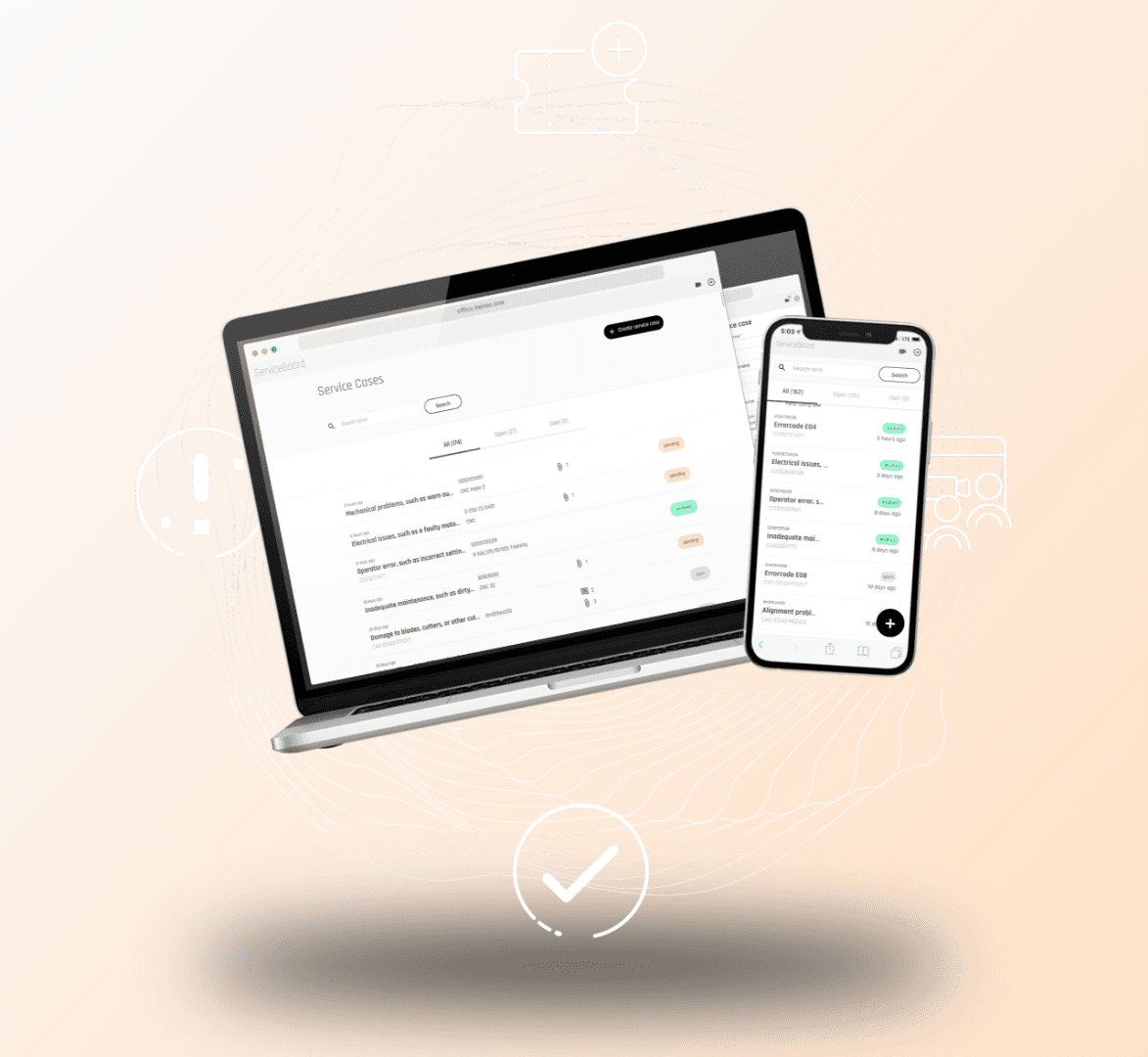
ServiceBoard von tapio for digital machine service

ServiceBoard

Remote and digital machine service

ServiceBoard von tapio for digital machine service

ServiceBoard

Remote and digital machine service

ServiceBoard von tapio for digital machine service

ServiceBoard

Remote and digital machine service

FAQ

FAQ

FAQ

Frequently asked questions about twinio

Do you have any further questions?

How do I get twinio on my smartphone?

How do I get twinio on my smartphone?

How do I get twinio on my smartphone?

How do I add tools and recordings to twinio Mobile?

How do I add tools and recordings to twinio Mobile?

How do I add tools and recordings to twinio Mobile?

How do I change the location of a tool in twinio Mobile?

How do I change the location of a tool in twinio Mobile?

How do I change the location of a tool in twinio Mobile?

How do I set limit values for my tool in twinio Mobile?

How do I set limit values for my tool in twinio Mobile?

How do I set limit values for my tool in twinio Mobile?

How do I manually sharpen tools in twinio Mobile?

How do I manually sharpen tools in twinio Mobile?

How do I manually sharpen tools in twinio Mobile?

How do I create a QR code for my tool?

How do I create a QR code for my tool?

How do I create a QR code for my tool?

How do I connect tools and adapters in twinio Mobile?

How do I connect tools and adapters in twinio Mobile?

How do I connect tools and adapters in twinio Mobile?

Get started
with twinio now

Use twinio on your smartphone or computer and log in to My tapio to take advantage of easy tool management across all your devices.

Use twinio on your smartphone or computer and log in to My tapio to take advantage of easy tool management across all your devices.

No My tapio company account yet?

No My tapio company account yet?

No My tapio company account yet?

twinio Mobile und twinio Office, die direkt im Browser auf illustrierten Desktop und Mobilgerät geöffnet sind.