How do I send tools to a service partner in twinio Office?
In twinio, you have the opportunity to record and document maintenance and sharpening work on your tools. You can send tools to one of the integrated maintenance or sharpening partners, and monitor the progress in twinio.
Instructions for maintenance / sharpening via service:
Select the tool in the table.
In the
Actionstab, select the optionSharpening service / Maintenance service.Select service partner, enter the required information, and confirm.
Status changes to “Not available”, storage location to the selected service partner.
Print the QR code and attach it directly to your physical tool before sending it to the service partner.
Once the service partner has completed the work and the physical tool has returned to your workshop, you can end the sharpening process on your side.
In the Actions tab, select
End sharpening, view or enter measurement values provided by the partner.A new work cycle starts; previous sharpening cycles are visible in the Analysis tab
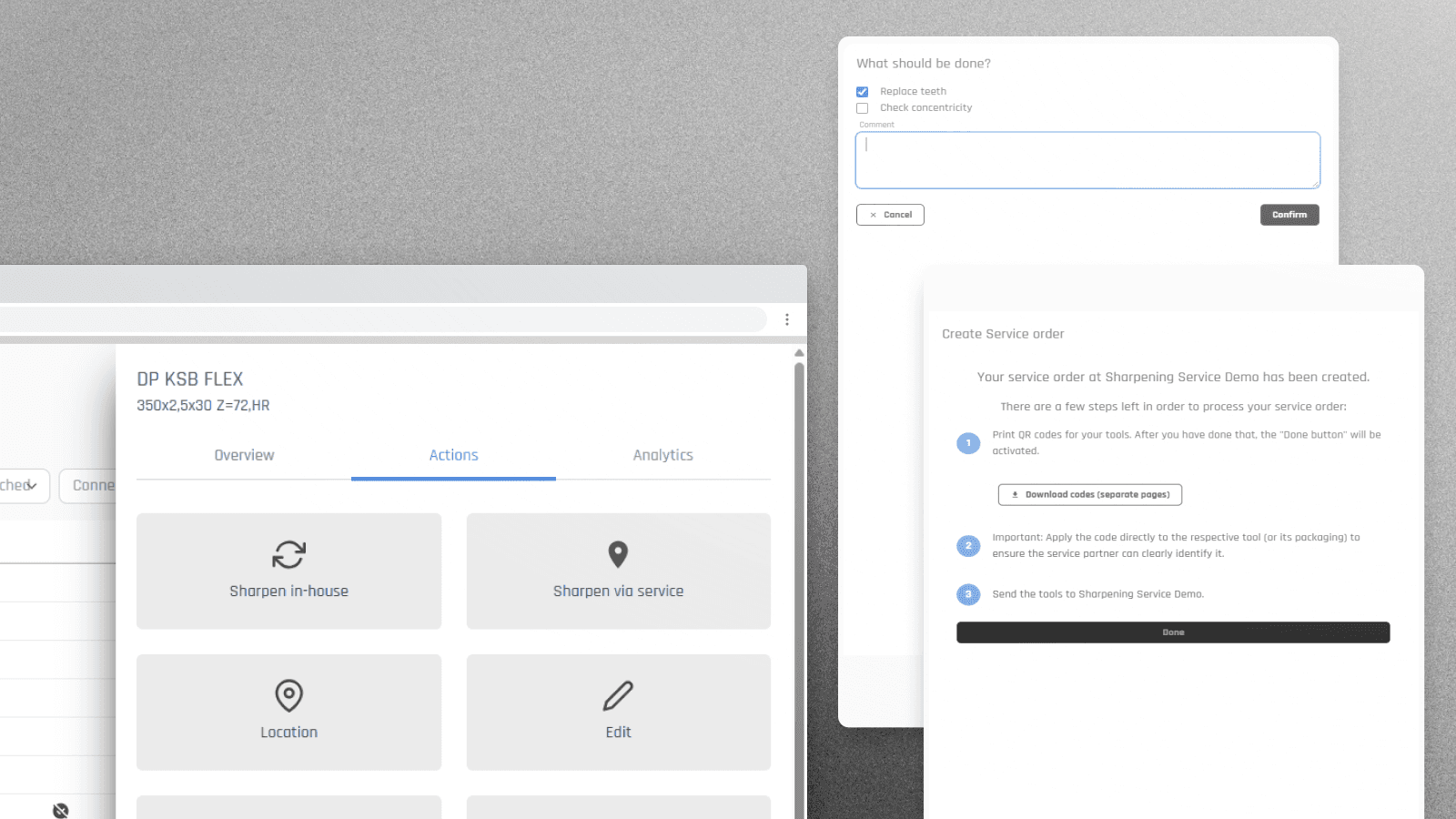
With the add-on “Digital Sharpening”, you can integrate sharpening services and directly track sharpening orders in twinio.